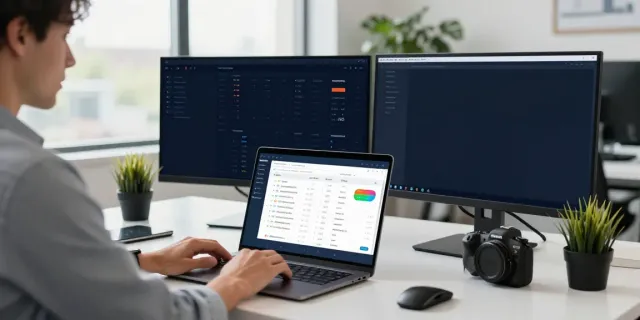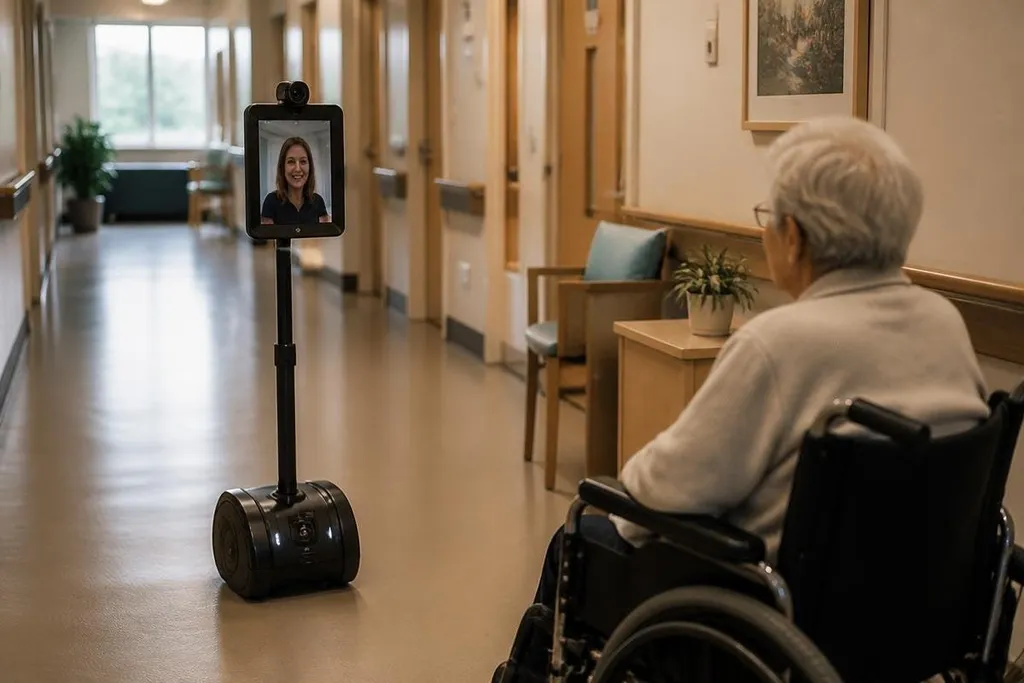
A telepresence robot lets a person attend a place through a mobile video system, screen, microphone, and speaker. The remote operator sees through the robot, talks to people nearby, and moves around without being there in person. That can help with routine contact, but the robot still depends on a reliable network, a safe route, and someone available to control it.
Quick read:
- Remote staff can join meetings, inspect work areas, and speak with people on site.
- Movement, audio delay, privacy, and charging limit where the robot works.
- A fixed camera may be cheaper when the task needs no movement.
Where telepresence robots help
The main gain is presence at a distance. A remote worker can drive the robot through an office, factory, school, hospital, or event space and speak with people near it. The moving camera gives them more context than a desk video call, especially when they need to look at different rooms or talk with people away from a meeting table.
That movement can support work that depends on visual checks and live conversation. A manager may inspect a work area, a teacher may join a class, and a specialist may speak with staff beside equipment. It does not perform the task by itself. It gives the remote person a way to see, hear, and respond from another location.
The screen also helps people nearby know who is present. A visible face and a live voice can make a remote conversation clearer than a laptop placed at the end of a table. Still, the result depends on camera height, speaker quality, lighting, and the layout of the building.
A telepresence buyer should check whether a report names the camera height, network conditions, and tasks tested. Reports from Robot 24 can put those details beside the robot’s stated range before the discussion turns to failures caused by lost signal, low power, or tight spaces.
Where the limits show up
Telepresence robots need a usable path. Door thresholds, lifts, narrow spaces, loose cables, crowded rooms, and poor floor surfaces can stop movement or force a person on site to help. A robot that works well in an open office may struggle in an older building with heavy doors.
Control delay creates another problem. The operator sends movement commands over a network, and the robot receives them after a short delay. Even a small delay can make turning, stopping, or lining up with a desk harder. Audio delay can also cause people to speak over one another.
Battery life adds a routine task. Charging needs a set place, and someone must place the robot near the charger or fix it when docking fails. A site with several robots also needs rules for storage, updates, cleaning, and safe use around people.
Privacy needs clear limits from the start. Cameras and microphones may collect conversations, screens, work areas, or personal details.
A site should tell people when the robot is active, restrict who can operate it, and set rules for recording and stored data. A visible mute control and a physical camera shutter can give people a clear signal that the robot is not listening or viewing.
The human problems are just as real
A remote operator can miss details that a person on site would notice through touch, smell, sound, or a wider view. The robot may show a machine panel while missing a warning light outside the frame. People may also find an unexpected moving camera distracting, especially in private rooms or sensitive work areas.
The social result varies by task. A robot can keep a remote colleague connected during a meeting, but it may feel distant during work that needs hands-on help. It also cannot replace a technician who must lift parts, use tools, or respond to a physical hazard.
Cost needs a wider check than the purchase price. The full setup may include the robot, charging hardware, network work, software access, repairs, storage, and staff time. A fixed camera, tablet on a cart, or ordinary video call may fit better when movement adds little value. I'd choose a telepresence robot only when the ability to move changes the work.
A practical buying checklist
Before a pilot, check these points with the people who will operate and meet the robot:
- Map the route: Test doors, lifts, ramps, floor changes, and the space around desks.
- Check control delay: Drive, stop, turn, and speak through the robot on the network used at the site.
- Plan charging: Assign a place for the charger and a person who can respond when docking fails.
- Set privacy rules: Decide when cameras and microphones may run, who can access them, and how data is handled.
- Ask about failure: Confirm what happens after a lost connection, low battery, blocked route, or software fault.
- Compare simpler tools: Price the robot against a fixed camera, tablet, or normal video call for the same task.
A useful pilot should measure completed visits, operator time, blocked routes, connection faults, and help needed from people on site. Those records show if the robot changes the work enough to justify its extra hardware and care.
The open decision is practical: if remote people need to move, look around, and speak with several groups, telepresence may fit; if they need one fixed view, a camera will usually ask less of the building and the budget.